April 3, 2026

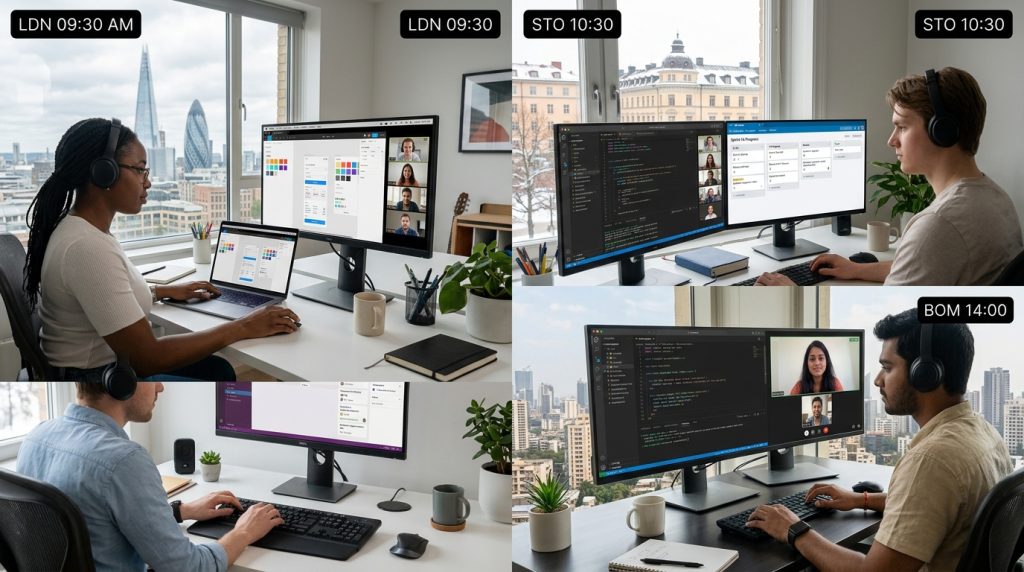
Remote design development workflows that actually scale Managing remote design development workflows can feel overwhelming at first. Teams are spread across time zones, communication can break down, and progress sometimes slows without clear systems. However, with the right structure, remote collaboration can actually outperform traditional setups. Today, many high-performing teams rely on remote design development workflows to deliver faster, iterate better, and stay flexible. The key is not just using tools, but building processes that support clarity and consistency. Once those systems are in place, your team can move with confidence and speed. In this guide, you’ll learn how to design workflows that keep designers and developers aligned, reduce friction, and create a smoother path from idea to launch. Why remote collaboration needs structure When teams work remotely, casual conversations disappear. You can’t rely on quick desk chats or spontaneous feedback. Because of that, remote design development workflows must replace those gaps with intentional systems. First, clarity becomes essential. Every task, file, and decision needs a clear place. Without it, confusion grows quickly. Moreover, asynchronous work means people are not always online at the same time. So, documentation and communication must carry more weight. At the same time, flexibility is a major advantage. Remote teams can work across time zones, which allows progress to continue around the clock. However, this only works when workflows are clearly defined. As a result, the best remote design development workflows balance structure and flexibility. They guide the team without slowing it down. Start with a shared workflow foundation Before choosing tools, define how your team works from start to finish. This step is often skipped, yet it makes the biggest difference. A strong foundation for remote design development workflows includes: A clear design-to-development handoff process Defined roles and responsibilities Standard file organization Consistent naming conventions Agreed timelines and checkpoints For example, designers should know exactly when their work is considered ready for development. Likewise, developers should understand what assets and documentation they need before starting. In addition, aligning expectations early prevents delays later. Teams that invest time in defining their process experience fewer bottlenecks. Align tools with your workflow, not the other way around Many teams make the mistake of letting tools dictate how they work. Instead, your remote design development workflows should guide your tool choices. Design teams often use tools like Figma or Adobe XD. Meanwhile, developers rely on GitHub, GitLab, or similar platforms. Communication tools like Slack or Microsoft Teams bridge the gap. However, the real value comes from how these tools connect. For instance, linking design files directly to development tickets creates a smoother workflow. Likewise, using shared dashboards improves visibility across the team. As a result, integration becomes more important than the number of tools. The goal is to reduce switching between platforms and keep everything connected. Create a clear design-to-development handoff One of the biggest challenges in remote design development workflows is the handoff process. If this step is unclear, misunderstandings can delay projects. To improve this, define what “handoff-ready” means. Designers should provide: Finalized design files Component specifications Spacing and layout details Interaction notes Asset exports At the same time, developers should review designs early. This reduces last-minute surprises. Moreover, regular check-ins between designers and developers keep expectations aligned. Additionally, using shared tools helps. Platforms that allow comments directly on designs make feedback faster and more precise. Use asynchronous communication effectively Remote teams rarely work at the same time. Therefore, asynchronous communication becomes a core part of remote design development workflows. Instead of relying on meetings, focus on clear written updates. For example: Use detailed task descriptions Record short video explanations when needed Document decisions in shared spaces Because of this, team members can stay informed without constant interruptions. Furthermore, it reduces the need for unnecessary meetings. However, not everything should be asynchronous. Complex discussions still benefit from live calls. The key is knowing when to use each method. Keep documentation simple but consistent Documentation often feels like extra work. Yet, in remote design development workflows, it becomes a powerful tool. Clear documentation ensures that: New team members onboard faster Decisions are not lost over time Processes remain consistent That said, simplicity is crucial. Overly detailed documents can become difficult to maintain. Instead, focus on key information that supports daily work. For instance, create lightweight guides for common tasks. Keep them updated and easy to access. As a result, your team spends less time searching for answers. Build feedback loops into your process Feedback is essential for improving both design and development. However, remote setups can slow it down if not managed well. Strong remote design development workflows include built-in feedback loops. These should happen at multiple stages: Early concept reviews Mid-design checkpoints Pre-development validation Post-launch evaluation Because feedback happens regularly, issues are caught early. This reduces costly revisions later. Moreover, it keeps the team aligned throughout the project. Encourage clear and constructive feedback. Specific comments are more helpful than vague suggestions. Maintain visibility across the team Visibility is often lost in remote environments. Without it, teams can feel disconnected from the overall progress. To solve this, remote design development workflows should include shared tracking systems. These can be simple dashboards or project boards. For example, using a Kanban board helps everyone see what is in progress, completed, or blocked. Additionally, regular updates keep everyone informed. Transparency builds trust. When team members understand the bigger picture, they can make better decisions. Manage time zones with intention Working across time zones can be both a challenge and an advantage. With the right approach, remote design development workflows can benefit from continuous progress. First, identify overlap hours. These are the times when most team members are available. Use them for meetings and real-time discussions. Then, structure tasks so work can continue asynchronously. For instance, designers can finish tasks that developers pick up later. However, avoid expecting instant responses. Respecting time differences helps prevent burnout and keeps morale high. Standardize design systems and components Consistency is critical in remote teams. Without it, designs can become fragmented and harder to develop. A shared design system solves this problem. It ensures that everyone uses the same components, styles, and guidelines. As a result, remote design development workflows become more efficient. Developers spend less time interpreting designs, and designers work faster using reusable elements. Moreover, maintaining a design system improves scalability. As your team grows, consistency remains intact. Reduce unnecessary meetings Meetings can quickly become a burden in remote environments. While some are necessary, too many can slow progress. Effective remote design development workflows prioritize meaningful communication. Before scheduling a meeting, ask if the information can be shared asynchronously. When meetings are needed, keep them focused. Set clear agendas and respect time limits. This ensures that discussions stay productive. Additionally, recording meetings can help those who cannot attend. It also creates a reference for future use. Encourage ownership and accountability Remote work requires a higher level of accountability. Without direct supervision, team members must take ownership of their tasks. Clear responsibilities support this. Each person should know what they are responsible for and when it is due. In remote design development workflows, accountability improves performance. Team members feel more confident and engaged when expectations are clear. At the same time, trust is essential. Micromanagement can reduce motivation. Instead, focus on outcomes rather than constant check-ins. Continuously improve your workflow No workflow is perfect from the start. The best remote design development workflows evolve over time. Regularly review your process. Ask questions like: What caused delays? Where did communication break down? Which tools slowed us down? Based on these insights, make small improvements. Over time, these changes create a more efficient system. Additionally, involve your team in this process. Their feedback can highlight issues you might miss. Conclusion Managing remote design development workflows does not have to be complicated. In fact, with the right systems, remote teams can work more efficiently than ever before. By focusing on clarity, communication, and consistency, you create a foundation that supports both designers and developers. Moreover, aligning tools with your process ensures that your workflow remains smooth and scalable. As your team grows, these systems will become even more valuable. Strong remote design development workflows reduce friction, improve collaboration, and help you deliver better results. Ultimately, success comes from continuous improvement. Keep refining your approach, and your remote team will thrive. FAQ How do you improve collaboration between designers and developers remotely? Clear communication, shared tools, and structured handoff processes improve collaboration. Regular feedback also helps maintain alignment. What tools are best for distributed product teams? Popular tools include Figma, GitHub, Slack, and project management platforms. However, integration matters more than the tools themselves. How can teams avoid delays in remote projects? Defining clear processes, setting expectations early, and maintaining visibility across tasks help prevent delays. Why is documentation important in remote work setups? Documentation ensures consistency, supports onboarding, and keeps decisions accessible for the entire team. How often should workflows be updated? Workflows should be reviewed regularly. Small improvements over time lead to better efficiency and stronger team performance.

Manage remote workflows for design and development teams

This guide explains how to manage remote workflows so design and development teams stay aligned, productive, and efficient.

Trending Now

5000+ Professional Icons

Weekly Design Tips

Get expert insights delivered to your inbox

Stay in the loop