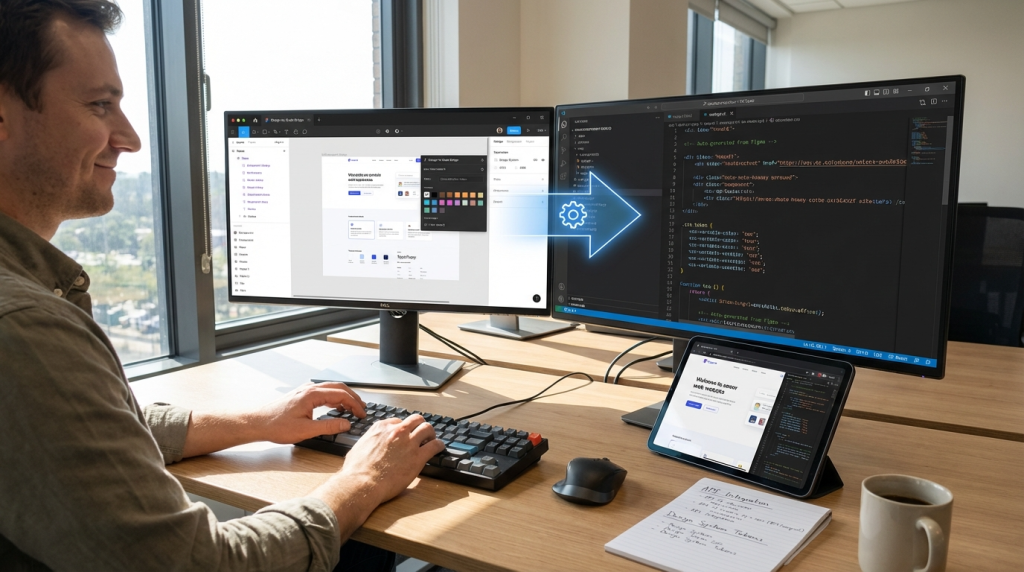
Introduction to Automating Your Process
A streamlined design to code workflow helps teams move from mockups to production without delays. However, manual steps often slow progress and create inconsistencies. Therefore, automation becomes essential for speed, accuracy, and scale.
Modern product teams no longer treat design and development as separate worlds. Instead, they build systems that connect tools, components, and documentation. As a result, handoffs become smoother and releases become faster.
If you want fewer revisions, cleaner code, and better collaboration, you need to automate your design to code workflow strategically. This guide explains how to build that system step by step.
Why Automation Matters in Modern Product Teams
Designers create visual systems. Developers build functional systems. When these systems fail to align, friction appears. Consequently, teams lose time fixing mismatches between design files and production code.
Automation reduces human error. It also standardizes components and keeps styles consistent. In addition, it removes repetitive tasks like copying values, exporting assets, or rewriting design tokens manually.
Because product cycles move quickly, teams must shorten feedback loops. Automated pipelines allow instant updates from design libraries to code repositories. Therefore, changes propagate without confusion.
Most importantly, a well-structured design to code workflow improves predictability. Teams know what happens after a design is approved. They also know which components are reusable and which require custom logic.
Core Components of a Design-to-Development System
Before you automate anything, you must understand the structure of your current design to code workflow. Mapping each stage reveals bottlenecks and duplication.
Design Systems and Component Libraries
A strong design system is the foundation of automation. It includes typography, color scales, spacing rules, and reusable components. When designers use consistent patterns, developers can mirror them in code.
Component libraries reduce ambiguity. Instead of redesigning buttons or forms repeatedly, teams rely on predefined elements. Consequently, design decisions become predictable and easier to translate.
Design Tokens
Design tokens store visual decisions as variables. These include colors, font sizes, shadows, and spacing values. Because tokens are machine-readable, they connect design tools and codebases.
When you update a token, every related component changes automatically. Therefore, tokens eliminate repetitive updates across multiple screens.
Version Control and Collaboration Tools
Developers already use version control systems. However, designers often rely on separate platforms. Integrating both environments strengthens your design to code workflow.
Shared documentation, synced branches, and automated previews ensure everyone sees the same updates. As a result, fewer misunderstandings occur during implementation.
Step-by-Step Guide to Automating the Workflow
Automation does not happen overnight. Instead, you build it layer by layer.
1. Audit Your Current Process
First, document every step from design creation to deployment. Include design revisions, asset exports, developer handoffs, and QA checks.
Next, identify repetitive actions. These tasks often become automation candidates. For example, manually exporting icons can be replaced with scripted exports.
2. Standardize Your Design System
Before automation, consistency must exist. Otherwise, tools cannot interpret unpredictable design choices.
Define spacing scales clearly. Establish naming conventions for components. Align typography styles with code-friendly structures.
Once standards are clear, your design to code workflow becomes easier to automate because systems rely on predictable patterns.
3. Implement Design Tokens Across Tools
Export tokens from your design platform using plugins or built-in APIs. Then connect those tokens to your development stack.
Developers can import token files directly into CSS, Tailwind configurations, or component frameworks. As a result, visual consistency improves automatically.
Whenever designers adjust a color or font size, the system updates instantly. Therefore, fewer manual edits occur.
4. Use Code-Ready Components
Instead of handing off static designs, provide component-based layouts. Tools that generate clean markup from structured designs help bridge the gap.
However, review generated code carefully. Automation should assist developers, not replace thoughtful engineering decisions.
By aligning components early, your design to code workflow becomes a continuous loop rather than a rigid handoff.
5. Automate Asset Management
Images, icons, and illustrations often create friction. Therefore, automate exports in required formats and resolutions.
Use naming conventions that match code imports. Additionally, integrate asset pipelines into build systems. This approach ensures that updates sync automatically with repositories.
6. Connect CI/CD Pipelines
Continuous integration strengthens automation. When design tokens update, pipelines can trigger rebuilds.
Automated tests also verify UI consistency. For example, visual regression tools compare design outputs against production builds.
As a result, teams catch inconsistencies before release.
Best Tools for Workflow Automation
Several tools enhance your design to code workflow without adding complexity.
Design platforms like Figma support API access and token exports. Meanwhile, Storybook connects components with documentation.
Frameworks such as React or Vue align naturally with modular design systems. In addition, CSS-in-JS libraries simplify variable management.
Automation platforms like GitHub Actions or GitLab CI help trigger updates when changes occur. Therefore, code stays aligned with design.
Choose tools based on team size and technical maturity. Simpler stacks often outperform overly complex ecosystems.
Reducing Handoff Friction Between Designers and Developers
Handoff remains one of the biggest pain points. However, automation can minimize misunderstandings.
First, ensure both teams share naming standards. Inconsistent terminology causes confusion.
Second, encourage collaborative reviews. Designers can inspect code previews. Developers can comment directly on design files.
Third, document component behavior clearly. Motion, hover states, and accessibility requirements should never rely on guesswork.
When teams treat automation as collaboration rather than replacement, the design to code workflow improves significantly.
Common Mistakes to Avoid
Automation fails when teams rush implementation.
One common mistake is skipping system documentation. Without clear guidelines, tools cannot maintain alignment.
Another issue involves over-automating early. Start small. Then expand gradually as confidence grows.
Ignoring accessibility also creates problems. Automation should include contrast checks and semantic markup validation.
Finally, avoid siloed updates. If tokens change but developers are unaware, mismatches appear. Therefore, always notify teams when core systems evolve.
Measuring Success and Continuous Improvement
Once automation is in place, measure its impact.
Track deployment frequency. Monitor bug reports related to UI inconsistencies. Compare development time before and after system changes.
Gather feedback from both designers and developers. Their insights reveal hidden friction points.
Continuous refinement ensures your design to code workflow remains efficient as products scale.
Scaling Automation for Larger Teams
As teams grow, systems must adapt. Larger organizations benefit from governance models.
Create clear ownership for design systems. Assign maintainers who review updates.
Introduce approval processes for token changes. Although flexibility matters, structured review prevents chaos.
Furthermore, invest in documentation portals. Clear guidelines help onboard new members quickly.
When scaling carefully, your design to code workflow supports growth instead of slowing it down.
Conclusion: Build Once, Improve Continuously
Automation transforms how teams build digital products. Instead of repetitive manual work, systems handle consistency and synchronization.
A structured design to code workflow reduces errors, accelerates releases, and strengthens collaboration. However, success depends on thoughtful implementation.
Start with a clear audit. Standardize your design system. Introduce tokens and automated pipelines gradually. Then measure results and refine continuously.
When design and development operate as one connected system, innovation accelerates. Ultimately, automation frees teams to focus on creativity and quality rather than repetitive tasks.
FAQ
- What is the main benefit of automating design and development collaboration?
Automation reduces manual errors and speeds up delivery by syncing visual systems with code systems automatically. - Do small teams need a structured design system?
Yes. Even small teams benefit from reusable components and shared style rules because they prevent inconsistency. - How do design tokens improve consistency?
Tokens store visual values in a machine-readable format, which allows both designers and developers to use the same source of truth. - Can automation replace developer involvement?
No. Tools assist with repetitive tasks, but developers still make architectural and performance decisions. - How often should workflow systems be updated?
Review your process quarterly. Regular updates ensure your systems remain aligned with product growth and team changes.