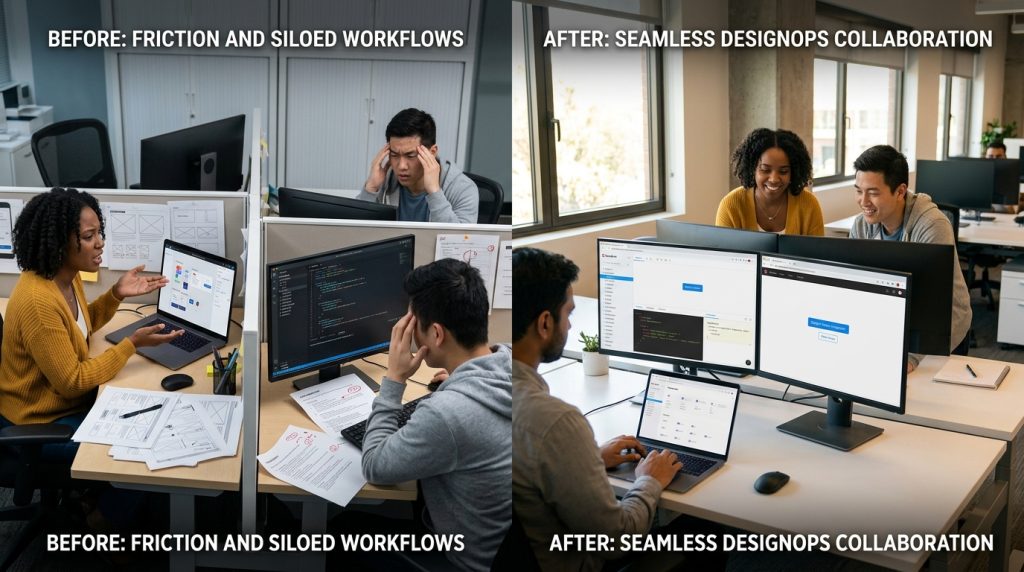
When teams grow, communication often becomes messy. However, designops improves collaboration by creating structure, clarity, and consistency across design and development workflows. Instead of relying on ad hoc processes, teams use systems that align everyone toward shared goals.
At first, designers and developers may work well together informally. Yet, as projects scale, gaps start to appear. Miscommunication increases, handoffs break down, and timelines slip. Therefore, implementing DesignOps becomes essential for maintaining alignment.
In this article, you’ll learn how designops improves collaboration in practical ways. More importantly, you’ll discover how it helps teams move faster without sacrificing quality.
Why Design And Development Often Fall Out Of Sync
Designers and developers approach work differently. Designers focus on user experience and visuals. Meanwhile, developers prioritize functionality and performance. Because of this, misalignment can easily occur.
For example, designers may create ideas that are difficult to implement. On the other hand, developers might make changes that affect the original design intent. As a result, frustration builds on both sides.
This is where designops improves collaboration by introducing shared processes. Instead of working in silos, teams follow structured workflows that reduce confusion.
Moreover, DesignOps encourages documentation. When expectations are clearly defined, misunderstandings become less common.
How DesignOps Improves Collaboration Through Clear Processes
One of the biggest benefits of DesignOps is process clarity. Without defined steps, teams waste time figuring out what to do next.
When designops improves collaboration, it does so by mapping out workflows. These workflows include:
- Design creation and review stages
- Development handoff procedures
- Feedback cycles
- Final delivery processes
Because each step is documented, everyone knows their role. Additionally, this clarity reduces delays and prevents repeated work.
For example, a structured handoff process ensures developers receive complete design specifications. As a result, they spend less time guessing and more time building.
Creating A Shared Language Between Teams
Communication is often the biggest challenge in cross-functional teams. Designers and developers may use different terminology, which leads to confusion.
However, designops improves collaboration by creating a shared language. This includes standardized naming conventions, design systems, and documentation.
For instance, using consistent component names helps developers understand design intent quickly. Similarly, shared guidelines ensure everyone follows the same standards.
Because of this, communication becomes more efficient. Teams spend less time clarifying details and more time executing tasks.
Design Systems As A Foundation For Collaboration
Design systems play a central role in DesignOps. They provide a single source of truth for both designers and developers.
When implemented correctly, designops improves collaboration by making design systems accessible and consistent. These systems include:
- Reusable UI components
- Style guidelines
- Interaction patterns
As a result, designers can create faster, while developers can build with confidence. Moreover, consistency improves the overall user experience.
If you want to see how structured systems improve workflows, explore content organization strategies like https://www.wellnessonthegreen.com/golf-buying-guides.
Reducing Friction In Design-To-Development Handoffs
Handoffs are one of the most common points of failure. Without clear processes, important details can be lost.
However, designops improves collaboration by standardizing handoffs. Designers provide detailed specifications, while developers review designs early.
This approach reduces misunderstandings. Additionally, it prevents last-minute changes that can delay projects.
Tools like Figma (https://www.figma.com) allow teams to share designs with built-in comments and specifications. Meanwhile, platforms like GitHub (https://github.com) help developers track progress.
Because of this integration, handoffs become smoother and more predictable.
Improving Feedback Loops Across Teams
Feedback is essential, but it often becomes inconsistent in growing teams. Without structure, feedback may arrive too late or lack clarity.
Fortunately, designops improves collaboration by establishing regular feedback loops. These include:
- Early design reviews
- Mid-project check-ins
- Pre-launch validation
Because feedback is built into the process, teams catch issues earlier. As a result, they avoid costly revisions.
Moreover, structured feedback improves communication. Instead of vague comments, teams provide actionable insights.
Enhancing Visibility And Transparency
Visibility is critical in collaborative environments. Without it, teams lose track of progress and priorities.
DesignOps addresses this issue by introducing shared dashboards and tracking systems. When designops improves collaboration, it ensures everyone can see:
- Current project status
- Pending tasks
- Blockers
This transparency helps teams stay aligned. Additionally, it builds trust across departments.
If you want to organize your workflow visibility better, you can structure updates similarly to resource hubs like https://www.wellnessonthegreen.com/golf-insights-and-tips.
Scaling Teams Without Losing Alignment
As teams grow, maintaining alignment becomes more difficult. Informal communication no longer works at scale.
However, designops improves collaboration by creating systems that scale. Standardized workflows, documentation, and tools ensure consistency across larger teams.
Because of this, new team members can onboard quickly. They understand processes without needing constant guidance.
Moreover, scalable systems reduce dependency on individual knowledge. This makes teams more resilient and efficient.
Balancing Flexibility And Structure
While structure is important, too much rigidity can slow teams down. Therefore, DesignOps must balance flexibility with consistency.
When done correctly, designops improves collaboration by providing guidelines without limiting creativity. Teams can adapt processes while maintaining alignment.
For example, workflows can evolve based on project needs. However, core principles remain consistent.
This balance allows teams to innovate while staying organized.
Encouraging Cross-Team Ownership
Collaboration improves when both designers and developers feel ownership. Without it, tasks become siloed.
DesignOps encourages shared responsibility. When designops improves collaboration, it fosters a culture where teams work toward common goals.
For instance, developers may contribute to design discussions. Similarly, designers may consider technical constraints early.
Because of this, collaboration becomes more natural and effective.
Continuous Improvement Through DesignOps
No system is perfect. The best teams continuously refine their processes.
DesignOps supports this by encouraging regular reviews. Teams analyze what works and what doesn’t.
When designops improves collaboration, it also creates a feedback-driven culture. Small improvements lead to better workflows over time.
As a result, teams become more efficient and adaptable.
Conclusion
DesignOps is not just a framework—it is a mindset. By introducing structure, clarity, and consistency, it helps teams work together more effectively.
When designops improves collaboration, designers and developers align more easily. They communicate better, reduce friction, and deliver higher-quality work.
Moreover, scalable systems ensure that growth does not lead to chaos. Instead, teams maintain efficiency even as they expand.
Ultimately, DesignOps transforms how teams collaborate. With the right approach, it turns potential conflicts into opportunities for innovation.
FAQ
- What is DesignOps in simple terms?
DesignOps focuses on improving design processes, tools, and collaboration across teams. - Why do designers and developers struggle to collaborate?
They often have different priorities and workflows, which can lead to misalignment. - How do design systems help teams work better together?
They provide consistency, shared components, and clear guidelines for both teams. - What tools support DesignOps implementation?
Tools like Figma, GitHub, and project management platforms help streamline workflows. - Can small teams benefit from DesignOps?
Yes, even small teams can improve efficiency and collaboration by adopting structured processes.