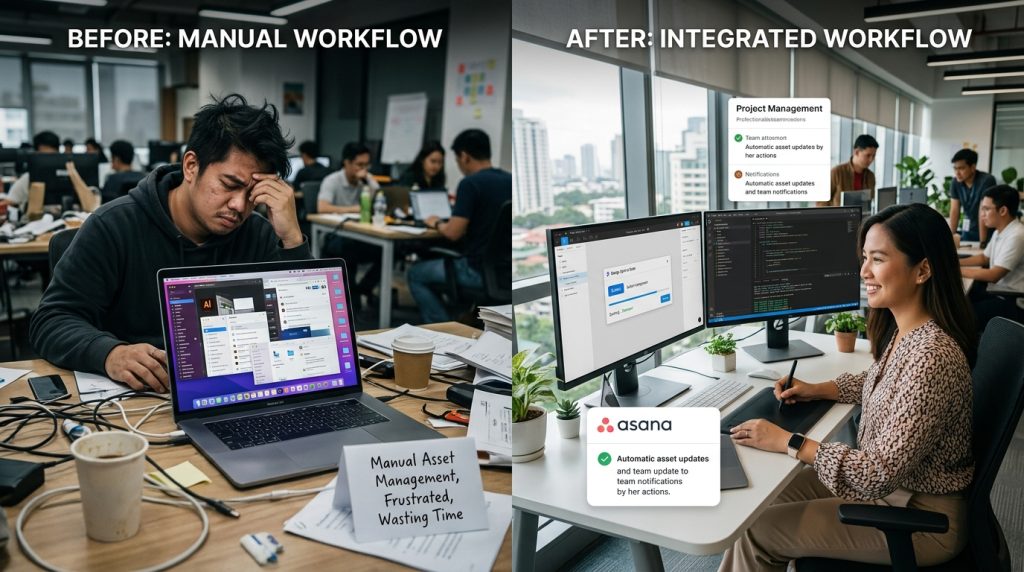
Using the right design tool integrations can completely transform how teams work together. Instead of jumping between platforms, designers and developers can stay aligned, reduce errors, and move projects forward faster. Therefore, choosing the right connections between tools is no longer optional.
In many teams, workflows break down because tools do not communicate well. Designers create assets, but developers struggle to access or interpret them. As a result, delays and misunderstandings increase. However, when you implement strong design tool integrations, these gaps disappear.
In this guide, you will learn how to connect your tools effectively. More importantly, you will discover how to build workflows that feel smooth, efficient, and scalable.
Why Design Tool Integrations Matter More Than Ever
Modern workflows rely on multiple tools. Designers use creative platforms, while developers depend on coding environments. Because of this separation, inefficiencies often appear.
Without design tool integrations, teams waste time switching between tools. Important details can also get lost during handoffs. Consequently, projects slow down and quality suffers.
On the other hand, integrated systems allow information to flow naturally. Designers can share updates instantly, while developers can access accurate specifications. As a result, collaboration improves.
Additionally, integrations reduce repetitive tasks. Automating small processes saves time and increases consistency.
Connecting Design And Development Tools Effectively
The most valuable design tool integrations connect design platforms directly with development tools. This ensures that both teams work from the same source of truth.
For example, Figma integrates well with tools like GitHub and Jira. Designers can link components to development tasks, while developers can inspect design details easily.
Because of this connection, communication becomes clearer. Developers understand exactly what needs to be built, and designers can track implementation progress.
Moreover, these integrations reduce manual work. Instead of exporting files repeatedly, teams can access updated assets in real time.
Improving Workflow Efficiency With Automation
Automation plays a key role in modern workflows. When used correctly, it removes unnecessary steps and speeds up production.
Many design tool integrations support automation features. For instance, you can automate asset exports, notifications, and updates between tools.
Because of this, teams spend less time on repetitive tasks. Instead, they focus on creative and technical work.
Additionally, automation improves accuracy. Human errors decrease when processes are standardized.
If you want to structure your workflow more efficiently, you can organize systems similar to content hubs like https://www.wellnessonthegreen.com/golf-insights-and-tips.
Enhancing Collaboration Across Teams
Collaboration improves when everyone works within connected systems. Without integration, teams rely on fragmented communication.
Strong design tool integrations create shared environments. Designers and developers can comment, review, and update work in one place.
For example, collaborative tools allow real-time feedback. Designers can adjust layouts while developers provide input instantly.
As a result, feedback cycles become faster. Teams avoid long delays and unnecessary revisions.
Moreover, integrated tools improve transparency. Everyone can see progress and understand project status.
Reducing Errors In Design-To-Development Handoffs
Handoffs are often a weak point in workflows. Without clear communication, developers may misinterpret designs.
However, design tool integrations help standardize this process. Design specifications, assets, and interactions can be shared directly within development tools.
Because of this, developers receive accurate information. They no longer rely on guesswork or incomplete files.
Additionally, integrated handoffs reduce revisions. Teams catch issues earlier, which saves time and effort.
Choosing The Right Integrations For Your Workflow
Not all integrations are equally valuable. Therefore, choosing the right ones is essential.
Start by identifying your workflow needs. Consider:
- The tools your team uses daily
- Where communication breaks down
- Which tasks are repetitive
Based on this, select integrations that solve real problems.
For example, linking design tools with project management platforms can improve task tracking. Meanwhile, connecting design systems with code repositories ensures consistency.
Additionally, reviewing how structured platforms operate can help guide your setup. Resources like https://www.wellnessonthegreen.com/golf-buying-guides show how organized systems improve clarity.
Maintaining Consistency With Integrated Design Systems
Design systems benefit greatly from integration. When connected to development environments, they ensure consistency across products.
Design tool integrations allow developers to access components directly. This reduces discrepancies between design and implementation.
For instance, shared libraries can sync updates automatically. When a designer updates a component, developers see changes immediately.
Because of this, teams maintain consistency without extra effort.
Moreover, integrated systems support scalability. As projects grow, maintaining alignment becomes easier.
Scaling Workflows With Better Integration Strategies
As teams expand, workflows become more complex. Without proper systems, managing projects becomes difficult.
However, design tool integrations provide structure. They connect tools, automate processes, and improve communication.
Because of this, scaling becomes manageable. Teams can handle larger projects without losing efficiency.
Additionally, integrated workflows support onboarding. New team members can understand processes quickly.
This reduces training time and improves productivity.
Balancing Simplicity And Flexibility
While integrations are powerful, too many can create complexity. Therefore, balance is important.
Focus on essential design tool integrations that provide clear benefits. Avoid adding tools that complicate workflows.
At the same time, maintain flexibility. Your workflow should adapt to different project needs.
Because of this balance, teams remain efficient without feeling restricted.
Keeping Your Integration Stack Updated
Technology evolves quickly. Therefore, your integration strategy should evolve as well.
Regularly review your design tool integrations. Identify outdated tools or processes that no longer add value.
Additionally, explore new integrations that improve efficiency.
Because of this continuous improvement, your workflow remains optimized.
Conclusion
Design tool integrations are no longer optional in modern workflows. They are essential for improving collaboration, reducing errors, and increasing efficiency.
By connecting your tools, automating tasks, and maintaining clear communication, you create a system that supports both designers and developers. Moreover, strong integrations allow your team to scale without losing quality.
Ultimately, the right setup transforms how your team works. Instead of struggling with disconnected tools, you build a workflow that feels seamless and productive.
FAQ
- What are the most important integrations for design teams?
Connections between design tools, development platforms, and project management systems are the most valuable. - How do integrations improve collaboration?
They create shared environments where teams can communicate, review, and update work efficiently. - Can integrations reduce project delays?
Yes, they streamline workflows and reduce miscommunication, which helps prevent delays. - Are too many integrations harmful?
Yes, excessive integrations can create complexity. Focus on essential tools that add real value. - How often should integration strategies be updated?
Review your setup regularly to ensure it remains efficient and aligned with your workflow needs.