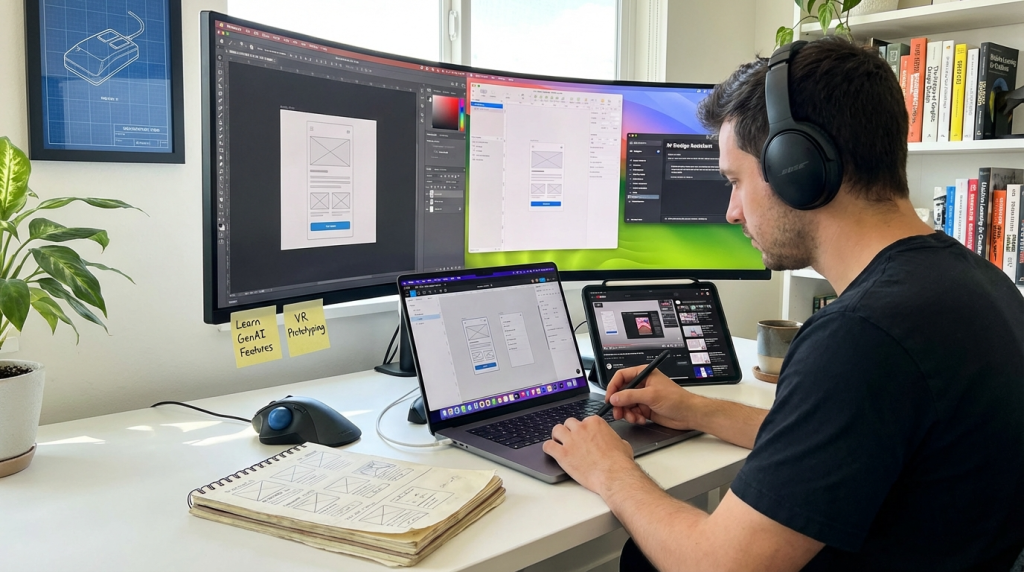
Why Evolving Design Tools Demand a New Mindset
Evolving design tools are reshaping how creatives work, collaborate, and deliver results. New features appear monthly, and platforms update faster than ever. As a result, designers often feel pressure to keep learning nonstop.
However, constant change does not have to mean constant stress. Instead, you can build systems that help you adapt with confidence. When you approach evolving design tools strategically, you stay competitive without feeling overwhelmed.
Technology will continue to improve. Therefore, the goal is not to master every feature. The real objective is to build adaptable skills that transfer across platforms. With the right mindset, change becomes an opportunity rather than a threat.
Understanding Why Tools Change So Quickly
Software companies compete aggressively. Because of this competition, updates arrive frequently. New automation features, AI integrations, and collaboration functions appear regularly.
Additionally, user feedback drives rapid improvement. Developers release updates to solve common pain points. Consequently, interfaces evolve and workflows shift.
Cloud-based platforms also allow instant updates. Unlike traditional desktop software, modern tools update automatically. Therefore, you must stay aware of changes as they happen.
Instead of resisting updates, learn to anticipate them. When you expect change, you respond more calmly and strategically.
Shift from Tool Mastery to Skill Mastery
Many designers try to master every detail of evolving design tools. Unfortunately, that approach leads to fatigue. Platforms change, and deep feature knowledge becomes outdated quickly.
Focus instead on core design principles. Typography, spacing, hierarchy, and color theory remain consistent across platforms. Therefore, foundational skills matter more than interface familiarity.
When you strengthen universal design knowledge, you adapt faster to any new system. For example, if you understand grid systems well, you can use them in almost any application.
Moreover, problem-solving ability transfers easily between tools. As a result, your long-term value increases even when software shifts.
Create a Personal Learning System
Without structure, learning feels chaotic. Therefore, build a repeatable system for tracking updates and practicing new features.
Set Weekly Micro-Learning Sessions
Dedicate short, focused sessions each week to exploring evolving design tools. Even 30 minutes can make a difference.
During these sessions, review release notes. Then test one new feature in a small project. This method prevents overload while building familiarity gradually.
Consistency matters more than intensity. Over time, small efforts compound into significant skill growth.
Follow Trusted Information Sources
Choose a few reliable newsletters, blogs, or creators who cover tool updates. Avoid following too many channels. Otherwise, information overload may occur.
Curated updates save time. Instead of searching manually, you receive summaries that highlight meaningful changes.
As a result, you stay informed without constant distraction.
Document What You Learn
Keep notes on new workflows, shortcuts, and integrations. Writing reinforces memory. Additionally, documentation creates a personal reference library.
When updates modify features later, you can review past notes and adjust quickly. This habit strengthens long-term adaptability.
Prioritize Tools That Align with Your Goals
Not every update deserves your attention. Because evolving design tools expand constantly, selective focus becomes critical.
Identify which platforms support your career goals. For example, product designers may prioritize collaborative prototyping software. Meanwhile, branding specialists may focus on illustration and layout tools.
Evaluate updates through a strategic lens. Ask whether a feature improves efficiency or expands creative capability. If not, you can safely ignore it.
By narrowing your focus, you reduce stress and increase depth of expertise.
Leverage Automation and AI Features Wisely
Artificial intelligence now integrates into most evolving design tools. These features can speed up repetitive tasks dramatically.
However, automation works best when you understand design fundamentals first. If you rely solely on AI, your creative judgment may weaken.
Use smart suggestions for layout adjustments or content generation. Then refine outputs manually to maintain quality.
Balance is essential. Automation should enhance creativity, not replace critical thinking.
Build Cross-Tool Adaptability
Instead of depending on a single platform, explore similarities between systems. Most modern tools share common patterns.
For instance, layers, components, and reusable styles exist in many applications. Once you understand these concepts deeply, switching platforms becomes easier.
Practice rebuilding the same project in different software occasionally. Although this takes effort, it strengthens flexibility.
Consequently, you become resilient when evolving design tools introduce new competitors or disrupt established workflows.
Develop Strong Collaboration Habits
Tool updates often impact teamwork. Therefore, communication becomes crucial.
When new features appear, discuss them with your team. Share discoveries and test improvements together.
Create shared documentation that tracks workflow changes. This practice ensures alignment and prevents confusion.
Collaboration reduces the pressure to learn alone. As a result, adaptation feels manageable rather than isolating.
Manage Information Overload Effectively
The volume of updates can feel overwhelming. However, structured filtering solves most of this problem.
First, categorize updates into three groups: essential, useful, and optional. Focus primarily on essential improvements.
Second, schedule review time instead of reacting instantly. This habit prevents constant interruption.
Third, mute notifications that do not add value. By controlling inputs, you protect your focus and energy.
When you manage information intentionally, evolving design tools no longer dominate your attention.
Invest in Continuous Skill Expansion
Technology evolves, but human skills remain foundational. Therefore, expand complementary abilities beyond software knowledge.
Learn basic coding concepts. Understanding HTML and CSS helps bridge communication with developers.
Study UX research principles. Knowing user behavior improves design decisions regardless of platform.
Explore motion design or accessibility standards. These competencies increase adaptability across systems.
Because evolving design tools integrate multiple disciplines, broad skills strengthen your long-term relevance.
Adopt a Growth-Oriented Mindset
Mindset influences adaptation speed. If you view change as disruption, stress increases. Conversely, if you see it as growth, curiosity replaces fear.
Accept that you will not know everything immediately. Instead, focus on steady improvement.
Celebrate small wins, such as mastering a new shortcut or automation feature. Progress builds confidence.
Furthermore, remind yourself that every professional faces the same learning curve. You are not alone in navigating evolving design tools.
Protect Your Creative Energy
Constant updates can drain mental energy. Therefore, establish boundaries.
Set defined learning times. Avoid exploring new features during deep work sessions.
Take breaks from digital platforms regularly. Creative thinking improves when you step away.
Prioritize meaningful projects over endless experimentation. Practical application reinforces learning better than random testing.
When you protect your energy, you adapt sustainably rather than reactively.
Evaluate Tools Annually
Although platforms change frequently, long-term evaluation remains important. At least once a year, review your core toolkit.
Assess whether each platform still supports your workflow efficiently. If a better alternative exists, consider transitioning strategically.
Migration requires planning. However, proactive evaluation prevents stagnation.
By reviewing your stack regularly, you stay aligned with industry standards while maintaining stability.
Create a Career Strategy Around Change
Your career should not depend solely on a single application. Instead, build a reputation for adaptable problem-solving.
Showcase case studies that highlight thinking processes rather than software features. Clients and employers value outcomes over tools.
Participate in communities that discuss trends and best practices. Networking exposes you to diverse approaches.
When evolving design tools reshape the landscape, your adaptable mindset ensures continued relevance.
Teach What You Learn
One powerful way to reinforce knowledge involves teaching others. Share tips with peers or create short tutorials.
Explaining new workflows clarifies your understanding. Additionally, teaching builds authority within your field.
When you contribute insights about evolving design tools, you strengthen professional visibility.
Knowledge shared multiplies. As a result, learning becomes collaborative rather than isolated.
Conclusion: Stay Adaptive, Not Overwhelmed
Change defines modern creative work. Evolving design tools will continue transforming how projects move from concept to completion.
However, adaptation does not require constant stress. By focusing on foundational skills, structured learning, and selective attention, you remain confident.
Build systems that support growth. Prioritize tools aligned with your goals. Protect your energy and collaborate actively.
When you shift from chasing updates to mastering adaptability, progress becomes steady and sustainable. Ultimately, long-term success depends less on specific software and more on your ability to learn continuously.
FAQ
- How can designers avoid burnout while learning new software?
Set structured learning times, focus on essential updates, and avoid trying to master every feature at once. - Should I switch platforms whenever a new tool appears?
Evaluate tools strategically. Change only when a new solution significantly improves efficiency or capability. - How important are core design principles compared to software skills?
Foundational principles matter more because they transfer easily across different platforms. - What is the best way to track updates efficiently?
Follow a few trusted sources and review release notes during scheduled sessions. - Can AI replace traditional design skills?
Automation supports productivity, but creative judgment and problem-solving remain essential for quality work.