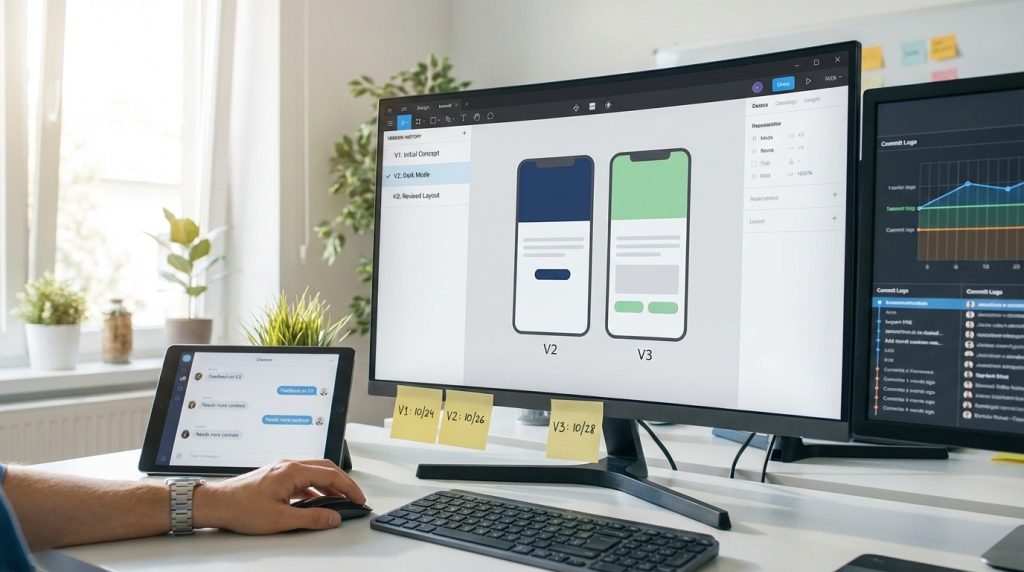
Learning how to manage design versions effectively is critical for modern product teams. When files multiply and updates lack structure, developers quickly lose clarity. As a result, delays, rework, and inconsistencies appear across projects.
However, with clear systems in place, teams can manage design versions without confusion. By aligning naming conventions, documentation, and collaboration tools, designers and developers stay synchronized. Consequently, updates move faster and product quality improves.
This guide explains how to reduce version chaos, streamline updates, and build workflows that support scalable development.
Why Version Control Matters in Design
Design rarely stays static. Instead, layouts evolve, components shift, and features expand. Therefore, teams must track every meaningful update carefully.
Without structure, multiple files create uncertainty. Developers may implement outdated screens. Meanwhile, designers might revise elements that already went live. Because confusion spreads quickly, productivity drops.
When you manage design versions properly, everyone references the same source of truth. Developers build from approved files. Designers iterate without overwriting previous work.
Additionally, strong version control builds accountability. Teams can trace decisions and understand why changes occurred.
Common Problems Caused by Poor Version Management
Poor version management often leads to predictable issues. For example, duplicated files clutter shared drives. Similarly, inconsistent naming patterns confuse collaborators.
Typical challenges include:
- Multiple file copies with unclear labels
- Untracked design changes
- Mismatched component states
- Missing documentation for revisions
- Developers building outdated screens
Because these issues compound over time, teams struggle to scale. However, once you establish structured systems to manage design versions, these problems decrease dramatically.
Clear organization prevents small mistakes from turning into costly delays.
Establish a Single Source of Truth
A single source of truth eliminates ambiguity. Therefore, store all final design files in one centralized platform.
Cloud-based tools like Figma or Adobe XD simplify collaboration. Because updates happen in real time, everyone accesses the latest version instantly.
To manage design versions effectively, restrict editing permissions carefully. Only authorized contributors should publish updates. Meanwhile, others can review without altering files.
Additionally, archive outdated concepts instead of deleting them. Historical records help teams understand design evolution and prevent repeated mistakes.
Centralization builds transparency and reduces guesswork.
Standardize Naming Conventions
Clear naming conventions reduce confusion immediately. For instance, include version numbers, feature names, and approval status in file titles.
A structured format might include:
- Project name
- Feature identifier
- Version number
- Status label (Draft, Review, Approved)
Because developers rely on clarity, consistent naming ensures accuracy. When teams manage design versions systematically, misunderstandings decline.
Furthermore, standardized names simplify onboarding. New team members locate relevant files quickly without additional guidance.
Consistency saves time across every sprint.
Document Every Major Update
Documentation transforms design updates into clear instructions. Although visuals show changes, written notes explain intent.
When you manage design versions responsibly, include:
- Summary of updates
- Reason for change
- Impacted components
- Developer action required
Because context matters, documentation prevents incorrect assumptions. Developers understand exactly what changed and why.
Additionally, structured change logs build trust. Teams appreciate clarity when priorities shift or features evolve.
Transparent documentation strengthens collaboration.
Align Versioning With Development Sprints
Design updates should align with sprint cycles. Otherwise, developers may implement unfinished concepts.
During sprint planning, review upcoming design revisions. Confirm which versions are finalized and ready for development. Consequently, everyone shares realistic expectations.
When teams manage design versions alongside sprint timelines, workflow stability improves. Developers avoid last-minute surprises. Designers gain predictable deadlines.
Regular sync meetings maintain alignment. Because communication stays consistent, version conflicts rarely escalate.
Use Component Libraries and Design Systems
Design systems reduce version chaos significantly. Instead of updating multiple screens individually, designers adjust centralized components.
For example, modifying a button style within a component library updates every instance automatically. Therefore, consistency remains intact.
When teams manage design versions through shared systems, scalability increases. Developers reference standardized components that mirror design assets.
Additionally, shared tokens for colors, typography, and spacing ensure alignment between code and design. This approach minimizes discrepancies during implementation.
Design systems act as living frameworks that simplify updates.
Implement Clear Approval Workflows
Approval processes prevent premature releases. Before developers begin coding, confirm that stakeholders approve the final design version.
Structured workflows might include:
- Internal design review
- Product owner validation
- Accessibility checks
- Final sign-off
Because approvals remain documented, accountability improves. When you manage design versions through defined stages, teams avoid confusion about readiness.
Clear checkpoints reduce unnecessary rework and maintain project momentum.
Leverage Version History Features
Modern design tools provide built-in version history. These features allow teams to revert to earlier states if needed.
Instead of duplicating files repeatedly, use native version tracking. Consequently, file clutter decreases.
When you manage design versions using built-in history tools, traceability improves. Teams can review changes chronologically and restore previous layouts quickly.
Additionally, version snapshots help during audits or performance evaluations. Historical visibility strengthens project governance.
Integrate Design Tools With Development Platforms
Integration reduces manual communication. Connect design platforms directly to development tools like Jira or Git repositories.
When design files link to specific tickets, developers reference accurate assets automatically. Therefore, implementation errors decline.
Because integration keeps documentation centralized, teams manage design versions efficiently across systems.
Automation also supports notification updates. Developers receive alerts when critical revisions occur.
Seamless integration fosters transparency and speed.
Communicate Changes Proactively
Even with structured systems, proactive communication remains essential. Whenever significant updates occur, notify developers clearly.
Share concise summaries during stand-ups or through shared channels. Include visual highlights and change descriptions.
Because transparency builds trust, proactive communication enhances collaboration. When teams manage design versions openly, confusion rarely persists.
Consistent updates prevent misalignment between intention and implementation.
Avoid Over-Iteration During Development
Continuous iteration can disrupt developers mid-sprint. Therefore, freeze major design changes once development begins.
If urgent adjustments arise, document them clearly and assess impact. Consider whether changes can wait until the next sprint.
When you manage design versions strategically, balance flexibility with stability. Developers perform best with predictable inputs.
Controlled iteration protects productivity and morale.
Train Teams on Version Discipline
Version management requires discipline. Therefore, provide training on naming standards, documentation practices, and approval workflows.
Because shared understanding supports consistency, onboarding should include workflow education.
When teams collectively manage design versions, accountability increases naturally. Designers follow structured processes. Developers reference correct files confidently.
Ongoing reinforcement strengthens habits and maintains clarity.
Monitor Metrics and Improve Continuously
Track metrics to evaluate workflow efficiency. For example, measure:
- Number of revision-related bugs
- Developer clarification requests
- Sprint delays due to design changes
By analyzing patterns, leaders refine processes. Continuous improvement ensures teams manage design versions more effectively over time.
Small adjustments compound into significant efficiency gains.
Balance Speed and Accuracy
Speed drives competitiveness. However, rushing updates without control creates errors.
Therefore, prioritize clarity over haste. Structured workflows accelerate delivery more sustainably than reactive fixes.
When teams consistently manage design versions with discipline, they reduce stress and increase output quality.
Predictability empowers innovation.
Conclusion: Structure Creates Stability
Design evolves constantly. Without structure, updates overwhelm development teams.
However, when you centralize files, standardize naming, document changes, and align with sprints, you manage design versions confidently and efficiently.
Strong systems reduce friction. Clear communication builds trust. Over time, disciplined version management transforms chaotic updates into seamless collaboration.
Start with one improvement today. Then refine continuously. Structured workflows will protect productivity and elevate product quality.
FAQ
- Why do developers struggle with outdated design files?
Developers often lack clear version tracking or receive updates without proper documentation, which leads to confusion. - What is the best way to track revisions?
Use built-in version history tools and maintain structured change logs to ensure traceability. - How can teams prevent mid-sprint design conflicts?
Freeze major updates during active sprints and align changes with sprint planning sessions. - Should design systems replace manual file duplication?
Yes, centralized component libraries reduce duplication and maintain consistency across projects. - How often should version workflows be reviewed?
Review processes during retrospectives to identify friction and improve coordination regularly.